What is Linwood Butterfly?
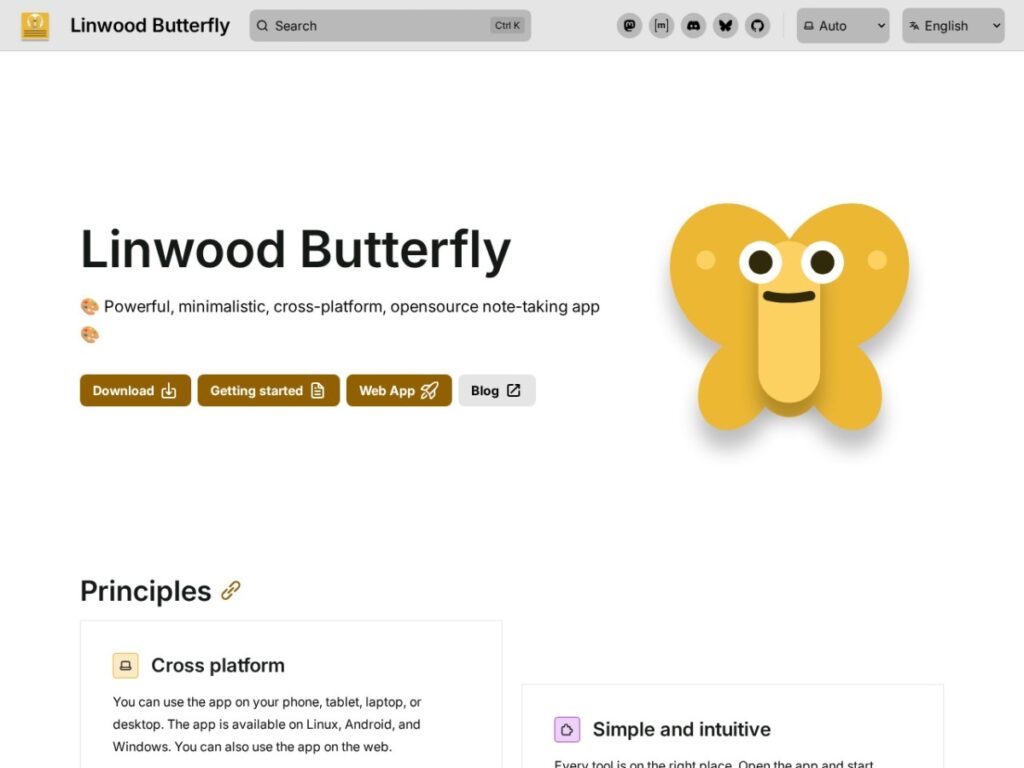
Linwood Butterfly is an open-source, cross-platform note-taking and drawing app built around an infinite canvas. Instead of forcing every idea into a fixed page, it gives users a flexible workspace where handwritten notes, sketches, imported files, text blocks, and structured areas can live together. The project presents itself as a minimalistic but capable alternative for people who want visual notes without giving up control over where their data is stored.
The homepage positions Butterfly around a few clear promises: it works across devices, keeps the interface simple, supports customization, and lets users choose local or WebDAV-based storage. That combination makes it especially interesting for students, developers, teachers, designers, and privacy-conscious users who want a practical digital notebook that is not locked to one ecosystem.
Key features
The headline feature is the infinite canvas. This makes Butterfly feel closer to a digital whiteboard than a traditional note app. You can map ideas, sketch diagrams, annotate concepts, and keep expanding a page as a project grows. For research notes, lecture planning, software architecture sketches, or brainstorming sessions, that freedom is genuinely useful.
Butterfly also supports pen input, Markdown, rich text, and imported media. The site highlights PDF, SVG, PNG, and camera-based content, which means the app can act as both a notebook and an annotation workspace. Being able to pull existing files into notes is important because many digital note tools become inconvenient the moment your work includes documents, diagrams, or images.
Cross-platform availability is another major strength. The app is available on Linux, Android, Windows, and the web, giving users a path to keep working across phone, tablet, laptop, and desktop. Open-source note-taking apps often struggle with polish or distribution; Butterfly’s broad platform support gives it a practical edge.
Storage flexibility is equally important. Users can keep data locally, use WebDAV, export files, and import them again. That makes the app appealing to people who care about portability and long-term access. You are not simply renting a closed notebook inside a vendor’s cloud.
Who is it for?
Butterfly is best for people who think visually. If your notes often include arrows, quick diagrams, handwritten fragments, imported slides, screenshots, or mind-map-style layouts, it fits naturally. Students can use it for class notes and PDF annotation. Developers can sketch system designs or project plans. Teachers can prepare visual explanations. Creators can collect rough ideas before turning them into polished work.
It is also a strong candidate for Linux and Android users who want something more privacy-friendly and open than many mainstream handwriting apps. The WebDAV option makes sense for people already using Nextcloud or another self-hosted setup.
Strengths
The biggest strength is the balance between simplicity and power. The homepage repeatedly emphasizes that tools are kept in the right place and that users can start drawing quickly. That matters: many note apps become overloaded with menus, databases, templates, and collaboration features. Butterfly seems focused on the core act of getting ideas onto a canvas.
The open-source nature of the project is another advantage. It gives technically minded users more confidence, makes community inspection possible, and reduces dependence on a single commercial roadmap. The ability to export and import data also supports that philosophy.
Customization helps too. Palettes, colors, paper setup, areas, waypoints, and multiple pages make the app more adaptable than a basic sketchpad. Users can create a workspace that fits their habits rather than changing their habits to match the tool.
Limitations
Butterfly may not be the right choice for someone who mainly wants a polished team knowledge base, a task manager, or a database-driven workspace. It is not trying to replace Notion, Coda, or a project management system. Its strength is canvas-based thinking, not enterprise collaboration.
Users who depend on Apple-first handwriting workflows may also need to test it carefully against their expectations. Cross-platform support is valuable, but the experience can vary by device, browser, stylus, and operating system. As with many open-source productivity tools, the best fit may depend on how comfortable you are with occasional rough edges and community-driven development.
Final verdict
Linwood Butterfly is a useful, thoughtfully positioned tool for visual note-taking, sketching, and flexible digital organization. Its infinite canvas, file import support, cross-platform reach, and storage control make it stand out in a crowded note-taking category. It is especially compelling for users who want an open-source alternative to closed handwriting and whiteboard apps.
If you want a clean space to draw, annotate, structure, and expand ideas without handing everything to a proprietary cloud, Butterfly is worth trying. It will appeal most to independent users, students, technical thinkers, and anyone who prefers portable notes over locked-in productivity suites.
FAQ
Is Butterfly free and open source?
Yes. Butterfly is presented as an open-source note-taking app, and its project is publicly available through the LinwoodDev ecosystem.
Can I use Butterfly on multiple devices?
Yes. The homepage lists Linux, Android, Windows, and web availability, making it suitable for multi-device workflows.
Does Butterfly support PDFs and images?
Yes. It supports importing files such as PDF, SVG, and PNG, and it can also work with camera-based content.
Who should skip it?
Users looking for a full business workspace, heavy team collaboration, or database-style project management may prefer a different tool. Butterfly is strongest as a visual notes and infinite-canvas app.