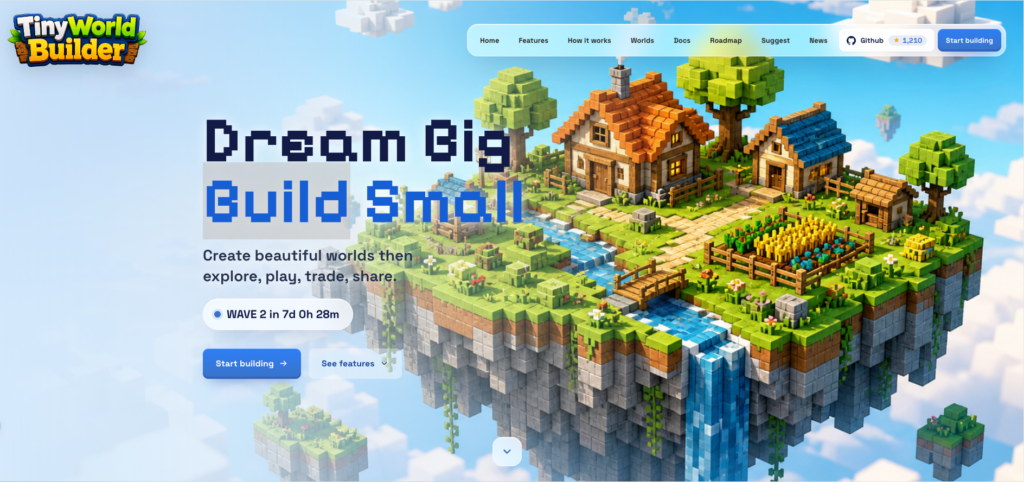
What is Tiny World Builder?
Tiny World Builder is a browser-based voxel world editor available at tinyworld.build. Based on the site’s own description, it is designed for “building, remixing, flying through, and sharing tiny worlds” directly in the browser. The landing page frames the product with the phrase “Dream Big, Build Small,” which is a fair summary of its apparent positioning: a lightweight creative tool for making miniature voxel environments rather than a full professional 3D production suite.
The site describes a playful workflow built around creating small worlds, adding terrain and props, exploring them from different camera angles, and then saving, remixing, exporting, or sharing the result. The navigation also points to public-facing areas such as Worlds, Docs, Roadmap, Suggest, Community, and GitHub. That suggests Tiny World Builder is not just a single isolated editor page, but a small ecosystem around browser-native world creation.
What problem does it solve?
The basic problem Tiny World Builder appears to solve is friction. Many 3D and voxel creation tools require installing software, learning a complex interface, or understanding game-engine concepts before users can make anything satisfying. Tiny World Builder’s pitch is different: open the browser, start placing terrain and objects, shape a small island or landscape, then inspect and share it.
That makes it interesting for users who want the pleasure of world building without committing to a heavy toolchain. The evidence does not show advanced modeling, scripting, asset pipelines, marketplace publishing, or professional collaboration features. Instead, the product seems focused on approachable creation: terrain, props, homes, paths, crops, animals, stamps, cameras, and sharing.
Key features and use cases
The clearest feature is world construction
The site says users can place terrain, props, homes, paths, crops, animals, and stamps with immediate visual feedback. That matters because voxel editors live or die by how quickly a user can see a scene take shape. If the editor delivers on that promise, it should feel closer to arranging a toy-like diorama than configuring a technical 3D scene.
Terrain sculpting is another major feature
Tiny World Builder says users can raise, lower, paint, and tune the ground to create cliffs, rivers, islands, and voxel landscapes. This gives the tool more range than a simple block-placement sandbox. It implies users can shape the land itself, not only decorate a flat surface.
The site also highlights exploration
Users can switch camera modes, enter a stunt plane, and inspect the world from every angle. That is a smart fit for this kind of tool. Building is only half the fun; being able to fly around a tiny island or inspect the scene from different perspectives gives the work a stronger sense of place.
Sharing and continuation are also part of the workflow. The landing page mentions saving, remixing, exporting, and continuing from the same browser-native workspace. The word “remix” is important because it implies a community-oriented creative loop: users may not only build their own worlds, but also adapt or iterate on existing ones. The navigation link to “Worlds” and the hidden “Live worlds” feed shown in the page source support that direction, though the provided evidence does not confirm how active the world gallery is or what sharing permissions look like.